Quick Actions
Each aircraft card on the hangar screen has up to three quick-action pills: Hours, Oil, and Squawk. They let you record a flight, an oil top-off, or a squawk without opening the aircraft.
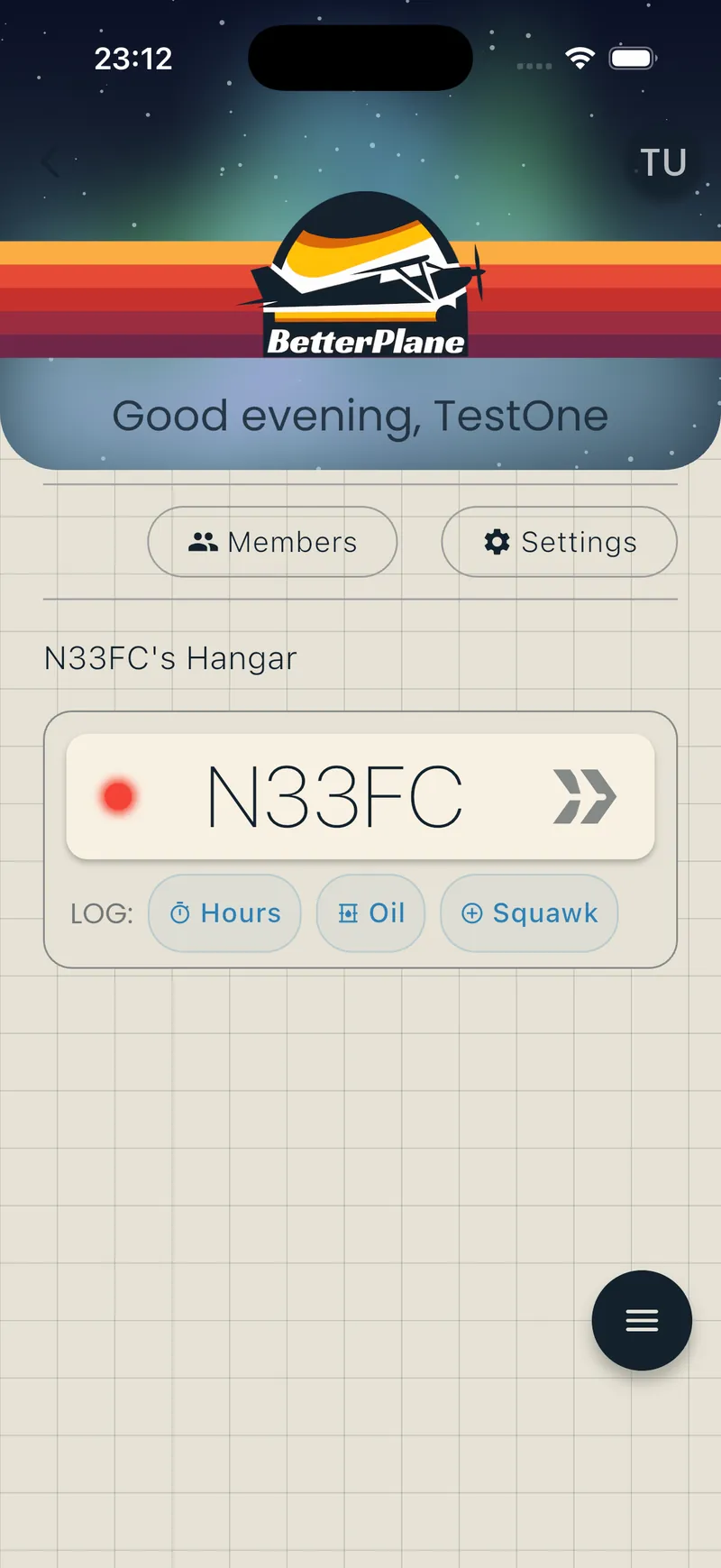
Available quick actions
Section titled “Available quick actions”| Pill | What it opens | Help page |
|---|---|---|
| Hours | The Log Hours sheet, to record a flight | Tracking Hours |
| Oil | The Oil Top-Off dialog, to record oil added between flights | Fuel, Oil & Trends |
| Squawk | The Add Squawk form, to report a maintenance issue | Squawks |
Why a pill might not appear
Section titled “Why a pill might not appear”- Role: you need the Officer or Manager role. A Member does not see any quick-action pills.
- Hours and Oil need a time source: both pills appear once the aircraft has a tach or hobbs component. See Adding Components.
- Squawk needs no setup: this pill appears for any Officer or Manager, even without a tach.
Related pages
Section titled “Related pages”- Tracking Hours: logging flight time
- Fuel, Oil & Trends: recording fuel and oil
- Squawks: reporting maintenance issues
- Alerts: notifications for your aircraft
- Documents: storing aircraft paperwork